
Material Manager
Click the Material Manager button in the toolbar to open the material editing panel and view/edit material properties of the current model.
Supports adjusting the following parameters:
- Color — Modify the base color of the material
- Metalness — Control the metallic质感 of the material
- Roughness — Control the surface smoothness
- Opacity — Adjust material transparency
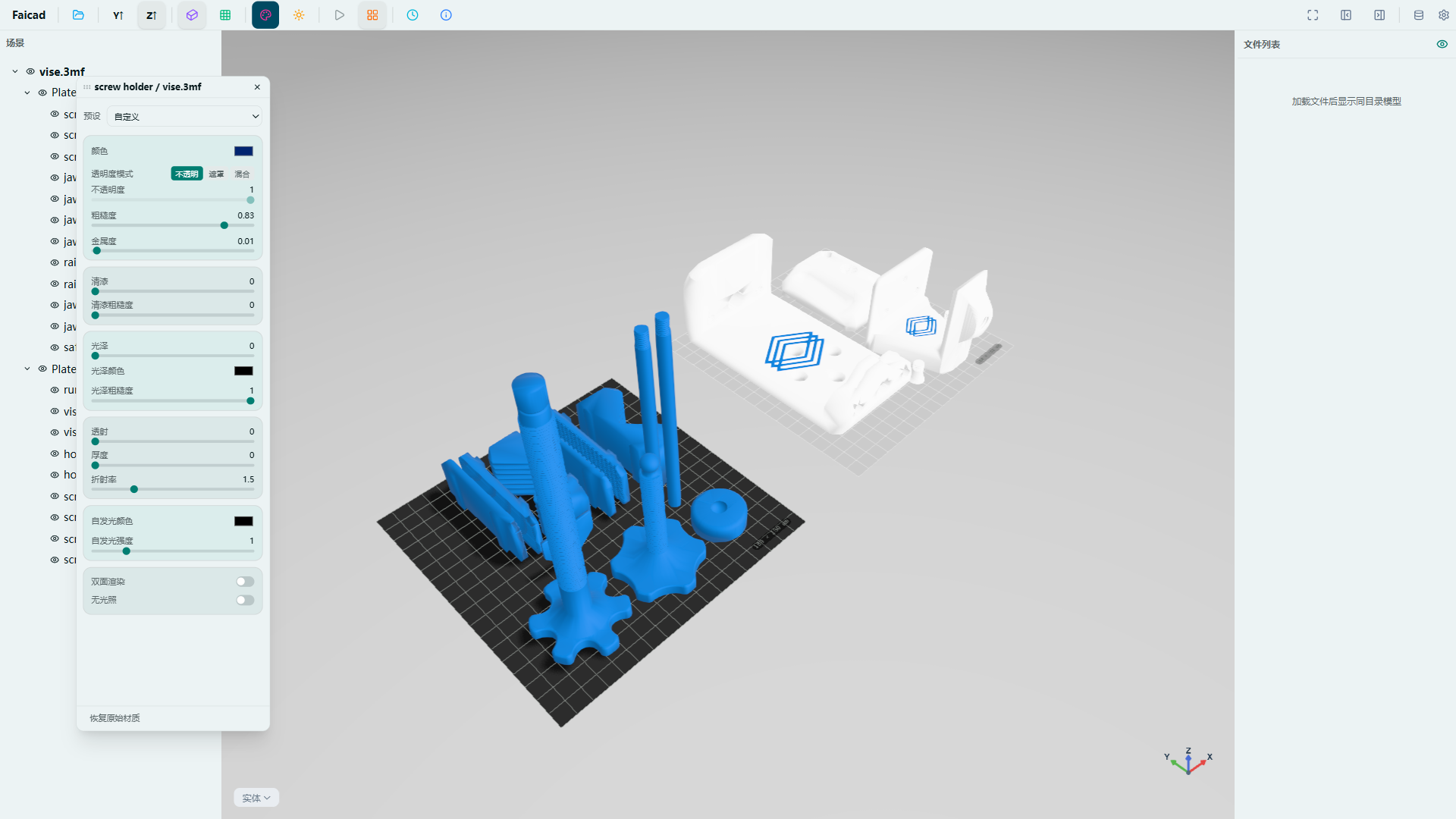
All adjustments take effect in real-time for quick material preview.